Catch every change. Even the ones you'd miss.
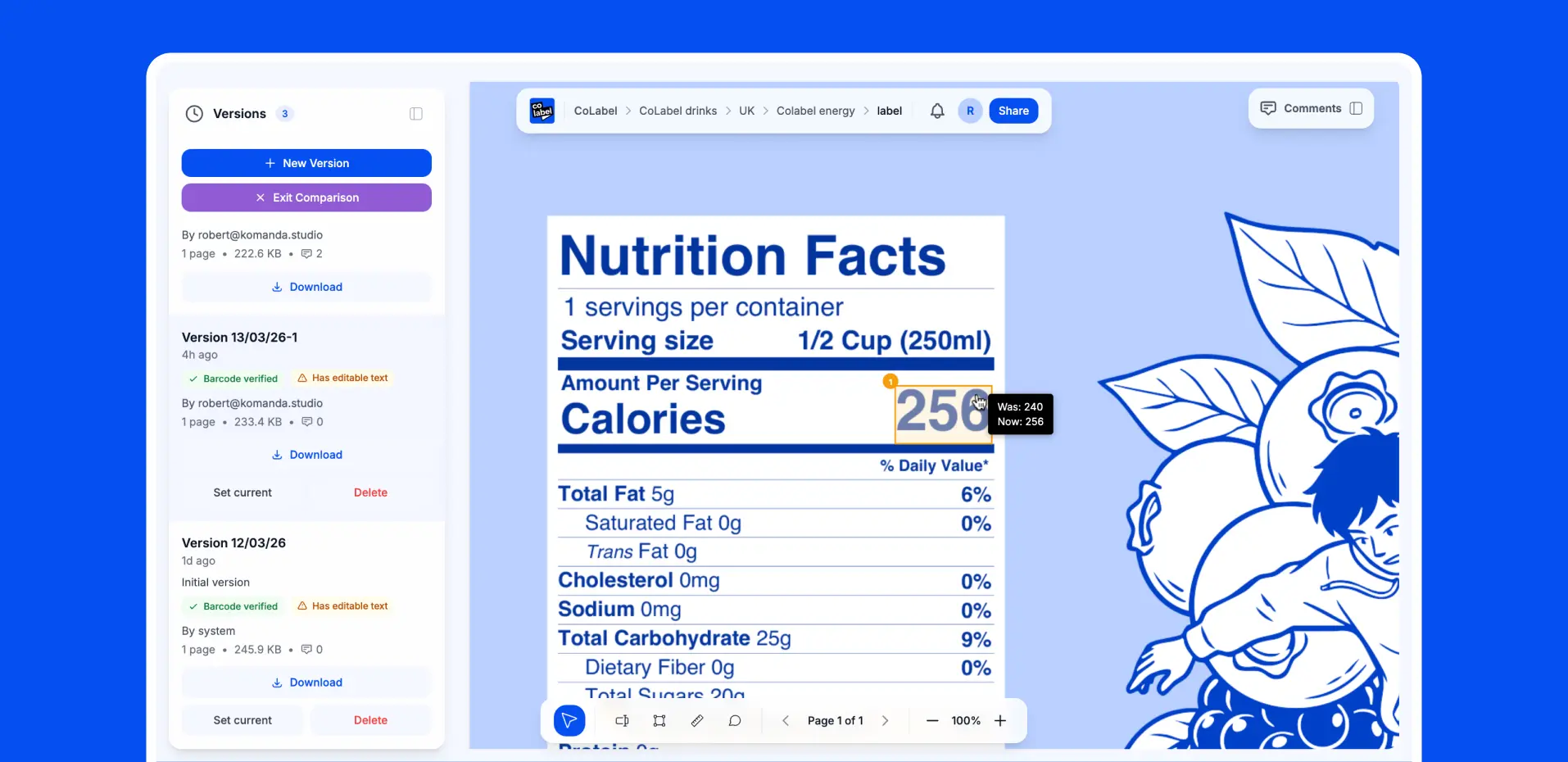
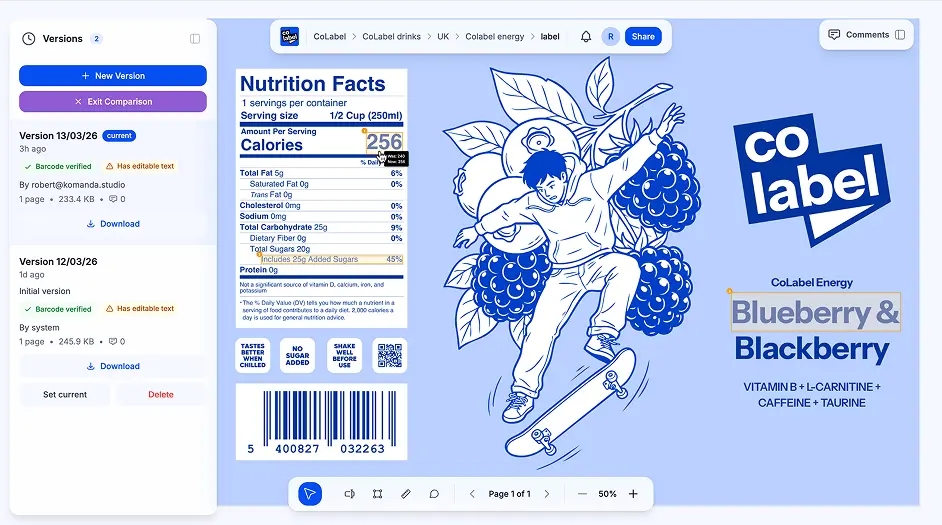
Compare any two label versions side by side. Our tool highlights every difference — text changes, moved elements, missing icons. No more "spot the difference" games with your print files.
One missed change.
Thousands in reprints.

Extra space before "mg" on pharmaceutical label. Caught after 50,000 units printed.

Old allergen icon used instead of new EU-compliant version. Full recall.

German translation updated, but old version sent to printer. Entire market launch delayed.

Barcode moved 2mm to the left. Scanning fails at retailer. Product rejected.

Designer fixed the typo but also accidentally changed the font weight. Nobody noticed.
Extra space before "mg" on pharmaceutical label. Caught after 50,000 units printed.
Old allergen icon used instead of new EU-compliant version. Full recall.
German translation updated, but old version sent to printer. Entire market launch delayed.
Barcode moved 2mm to the left. Scanning fails at retailer. Product rejected.
Designer fixed the typo but also accidentally changed the font weight. Nobody noticed.
Human eyes get tired. Small changes hide in plain sight. You need a tool that doesn't blink.
Two versions. Every difference. Highlighted.
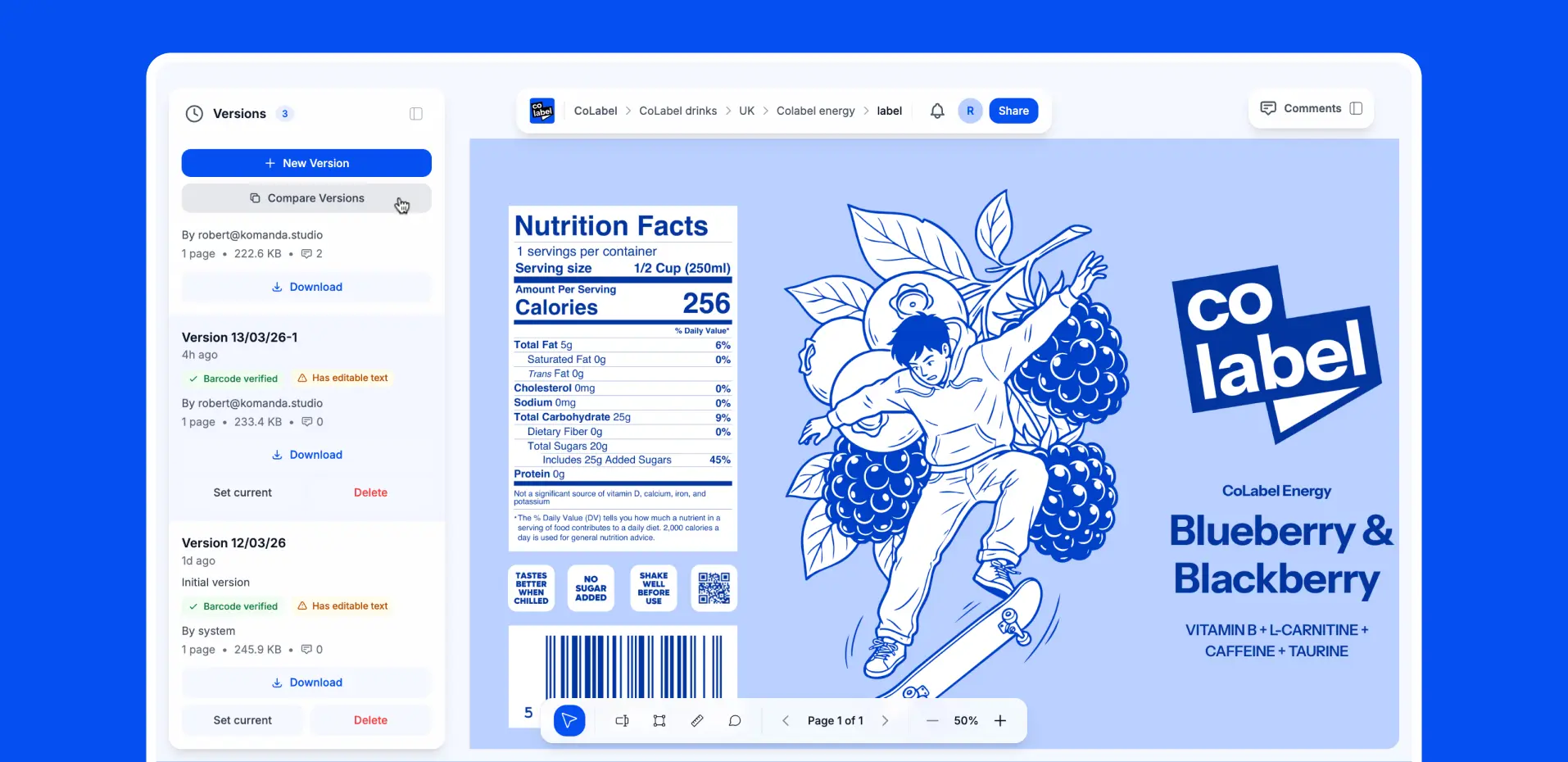

What we detect


Text Changes
Every word, every character. Changed, added, or deleted text is highlighted instantly. Catches typos, translation updates, legal copy changes, and ingredient list edits.

Moved Elements
That logo shifted 3mm to the right? We see it. Element position changes are detected and flagged — even tiny adjustments your eyes would skip.

Missing or Added Elements
Icon removed? New certification badge added? Barcode deleted by accident? The comparison shows exactly what appeared or disappeared between versions.
Text Changes
Every word, every character. Changed, added, or deleted text is highlighted instantly. Catches typos, translation updates, legal copy changes, and ingredient list edits.
Moved Elements
That logo shifted 3mm to the right? We see it. Element position changes are detected and flagged — even tiny adjustments your eyes would skip.
Missing or Added Elements
Icon removed? New certification badge added? Barcode deleted by accident? The comparison shows exactly what appeared or disappeared between versions.
Built for labels. Not legal contracts.

- Built for text documents
- Struggle with curved text, rotated elements
- Miss visual changes
- No integration with workflow
- Built for graphic PDFs — labels, packaging, print designs
- Handles complex label layouts — curved text, angled elements, multi-layer designs
- Detects moved graphics, color shifts, element repositioning
- Changes link directly to comments, approvals, and version history
Labels aren't Word docs.
Generic diff tools choke on rotated text, curved manufacturer names, and complex print layouts. We built our comparison engine specifically for how labels actually look.
When you need to compare
Comparison that fits your process
The comparison tool isn't a separate app. It's built into your label workflow. Compare versions right from the version history. Add comments directly on detected changes. Tag teammates for review. Approve or reject with one click.
Never miss a change again
Upload two versions and see every difference in seconds. Free to start.
 Encrypted storage
 GDPR compliant
 No credit card needed
 Built for print materials